Alghani

IT

IT

Smart Watering Plant

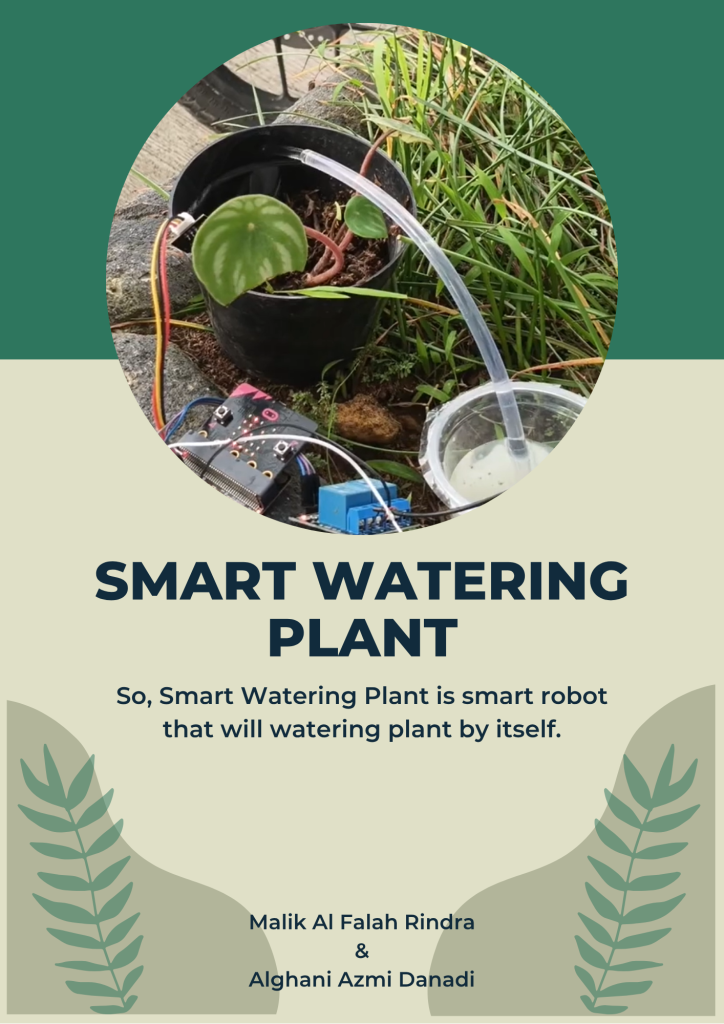
IT Project Smart Watering Plant Smart Watering Plant https://youtu.be/77Wz4ei8lzk IT project called Smart Watering Plant,  I built a simple automatic watering system using a soil moisture sensor to detect the condition of the soil. When the soil is dry, the system will turn on the water pump to water the plant, and when the soil is wet enough, it will stop automatically. In the tutorial video, I explain how the system works, how to connect the components, and how to make the project step by step. This project helps people take care of plants more easily, especially if they are busy or often forget to water them. From this project and video, I learned more about sensors, automation, and how to explain a project clearly to others.

IT

IT Tutorial 4 – Smart Watering Plant

IT Project IT Tutorial 4 – Smart Watering Plant IT Tutorial 4 – Smart Watering Plant https://youtu.be/K9O8_Nu2YLc IT project called Smart Watering Plant, and I also made a tutorial video titled IT Tutorial. This is my second IT tutorial video in this semester. In this project, I built a simple automatic watering system using a soil moisture sensor to detect the condition of the soil. When the soil is dry, the system will turn on the water pump to water the plant, and when the soil is wet enough, it will stop automatically. In the tutorial video, I explain how the system works, how to connect the components, and how to make the project step by step. This project helps people take care of plants more easily, especially if they are busy or often forget to water them. From this project and video, I learned more about sensors, automation, and how to explain a project clearly to others.

English, IT

English IT Project Presentation – Tinybit Line Follower

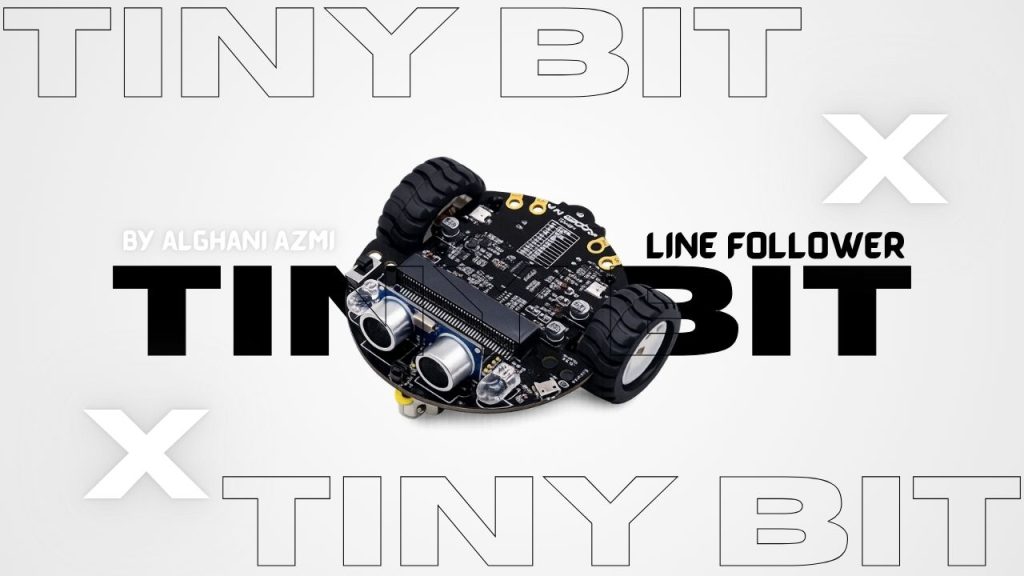
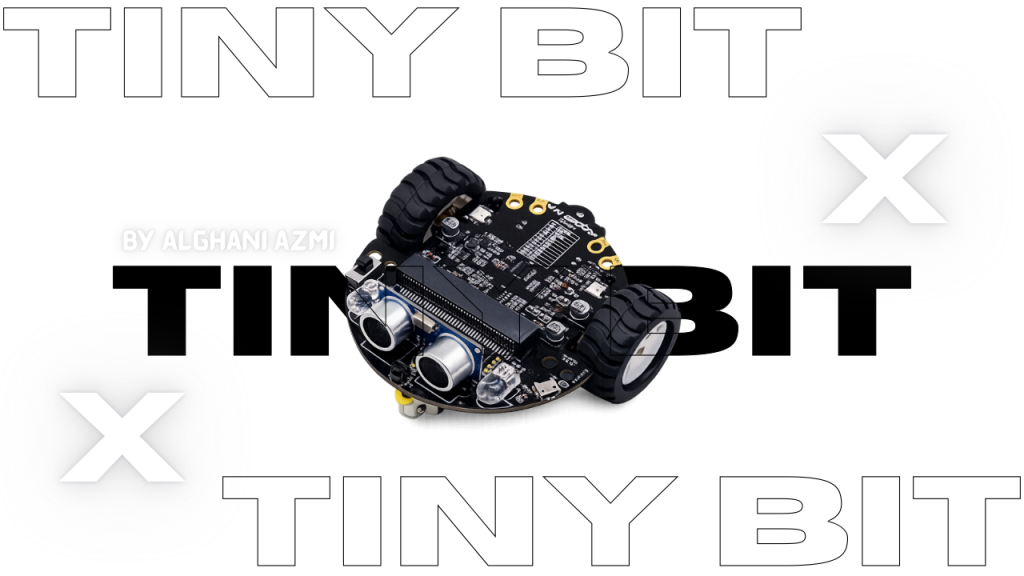
English Project English IT Project Presentation – Tinybit Line Follower English IT Project Presentation – Tinybit Line Follower https://youtu.be/f82ZAG4dlAw his is my third IT project presentation and the title is Line Follower Robot. In this project, I built a robot that can automatically follow a black line on a white track without manual control. I used Micro:bit as the main microcontroller that works as the brain of the robot, Tiny:bit as the robot base with motors and wheels, and an infrared (IR) sensor to detect dark and light surfaces. The sensor reads the surface under the robot and sends data to the Micro:bit. Then, the Micro:bit processes the data using the program I created and controls the motors to move forward, turn left, or turn right depending on the position of the line. This project uses the basic concept of input, process, and output, where the sensor is the input, the Micro:bit is the processor, and the motors are the output. During this project, I learned about programming logic such as if-else statements, motor control, and how hardware and software work together in a robotic system. I also improved my problem-solving skills by adjusting the speed and fixing errors in the code. Overall, this project helped me understand basic robotics in a simple and practical way.     

IT

Tiny Bit Hand Gesture

Tiny Bit Bluetooth controller IT Project Tiny Bit Hand Gesture Micro:bit is a small programmable computer that is designed to help students learn coding, electronics, and basic technology skills in an easy and fun way. It was created to support education, especially for beginners who are new to programming. The micro:bit board is small, light, and simple to use, but it has many useful features. On the front side, it has a 5×5 LED display that can show text, numbers, and simple images. It also has two buttons that can be programmed to control different actions. Micro:bit includes several built-in sensors, such as an accelerometer to detect movement, a compass to detect direction, and sometimes a temperature or light sensor depending on the version. It also supports Bluetooth, so it can connect wirelessly to other devices like smartphones or tablets. Users can program micro:bit using simple programming platforms such as MakeCode or Python. Because of its simplicity, micro:bit is very popular in schools and learning activities. Tiny Bit is a small robot that is usually used together with micro:bit. It is designed to help students learn robotics in a practical way. Tiny Bit acts as a robot base where the micro:bit becomes the “brain” of the robot. When micro:bit is connected to Tiny Bit, it can control the robot’s movement and behavior.   Demonstration Video https://youtu.be/0YEVetZeUC0

IT

Smart Trashbin

Smart Trashbin IT Project Smart Trashbin Hello everyone, today I am working on a new project with my team called a smart trash bin. This project uses simple electronics and coding to make the trash bin work automatically. Basically, we program the ultrasonic sensor to detect our hand when it comes close to the trash bin. When the sensor reads the distance of our hand, it sends a signal to the system. After that, the servo motor moves, causing the lid of the trash bin to open automatically. This project helps reduce direct contact with the trash bin and makes throwing away trash more hygienic and efficient. Demonstration Video https://youtu.be/QLRaolJaAys

IT

Tiny Bit Bluetooth Controller

Tiny Bit Bluetooth controller IT Project Tiny Bit Bluetooth controller​ Micro:bit is a small programmable computer that is designed to help students learn coding, electronics, and basic technology skills in an easy and fun way. It was created to support education, especially for beginners who are new to programming. The micro:bit board is small, light, and simple to use, but it has many useful features. On the front side, it has a 5×5 LED display that can show text, numbers, and simple images. It also has two buttons that can be programmed to control different actions. Micro:bit includes several built-in sensors, such as an accelerometer to detect movement, a compass to detect direction, and sometimes a temperature or light sensor depending on the version. It also supports Bluetooth, so it can connect wirelessly to other devices like smartphones or tablets. Users can program micro:bit using simple programming platforms such as MakeCode or Python. Because of its simplicity, micro:bit is very popular in schools and learning activities. Tiny Bit is a small robot that is usually used together with micro:bit. It is designed to help students learn robotics in a practical way. Tiny Bit acts as a robot base where the micro:bit becomes the “brain” of the robot. When micro:bit is connected to Tiny Bit, it can control the robot’s movement and behavior.   Demonstration Video https://youtu.be/RM7McGs_MzU

English, IT

IT Project Presentation – Catching fruit Game

English Project IT Project Presentation – Catching Fruit Game IT Project Presentation – Catching fruit Game https://youtu.be/J0xyIcDh1os This my IT Project presentation this presentation About how to play Catching fruit . I hope this presentation Good for you all Who watch this video…… thank you for you all Who Watch this video Presentation this presentation is a  Tutorial for playing the game in Scratch.

IT

Defender

IT Project Defender The Defender The defender stands as the last line of protection, a vigilant guardian tasked with securing the base against relentless waves of enemies. Surrounded by chaos, they remain steadfast, using strategy, strength, and resilience to repel countless assaults. Every attack tests their endurance, yet the defender’s determination never falters. They adapt to shifting threats, reinforcing weak points, rallying allies, and striking back with precision. In the face of overwhelming odds, the defender embodies courage and sacrifice, ensuring the base remains unbroken. Their role is not just about survival, but about inspiring hope—proving that even against many foes, one determined protector can hold the line. Demontration Video https://youtu.be/XFADppLHkPQ Try the Game

IT

Bomberman

IT Project Bomberman Bomberman BomberCat is a thrilling action game that combines high-speed chases with strategic bomb throwing, all wrapped in a quirky feline theme. Players step into the paws of a mischievous cat armed with an endless supply of bombs, racing through chaotic environments while dodging enemies and launching explosive attacks. It’s a game of reflexes, timing, and clever movement, where every second counts and every bomb could turn the tide.The core mechanic of BomberCat revolves around pursuit and evasion. Players are either chasing down enemies or being chased themselves, all while navigating dynamic maps filled with obstacles, traps, and power-ups. The cat character can throw bombs to slow down pursuers, destroy barriers, or eliminate targets. But timing is everything—throw a bomb too late, and you might get caught; throw it too early, and it might miss.• Chase and escape: The game alternates between offensive and defensive modes. Sometimes you’re the hunter, sometimes the hunted.• Bomb mechanics: Tap or swipe to throw bombs in different directions. Bombs explode after a short delay, affecting everything within range.• Lives and scoring: Players start with three lives. Getting hit by enemies or your own bombs costs a life. To win, you must reach a set score—usually 15 points—by defeating enemies and surviving long enough.BomberCat features colorful, cartoon-style graphics with exaggerated animations and playful sound effects. The environments range from city rooftops to underground tunnels, each with unique layouts and hazards. The cat character is expressive and agile, adding charm to the explosive chaos.Strategy and ChallengeWhile the controls are simple, the game demands quick thinking and sharp reflexes. Players must:• Predict enemy movements• Use bombs strategically to block paths or create escape routes• Collect power-ups to boost speed or bomb rangeAs levels progress, enemies become faster and smarter, requiring more precise tactics and faster reactions.BomberCat is perfect for players who enjoy fast-paced action with a humorous twist. Its blend of chase dynamics and explosive gameplay makes it both fun and challenging. Whether you’re dodging danger or causing it, BomberCat delivers a wild ride full of feline fury and fiery blasts. Demontration video https://youtu.be/YZWznqvw1Rk TRY the game

IT

Ninja fruit

IT Project Ninja Fruit NINJA FRUIT Ninja Food is a fast-paced, action-packed mobile game that blends the thrill of slicing with the strategy of managing a kitchen. Developed by Sand Castle Studio and released in November 2023, the game offers a unique twist on the classic fruit-slicing genre by incorporating elements of time management, customer service, and culinary creativity. It is available on platforms such as iOS and PC via itch.io, and it has quickly gained popularity among casual gamers for its engaging mechanics and vibrant visuals.Game ConceptAt its core, Ninja Food is a game about precision, speed, and decision-making. Players take on the role of a ninja chef who must prepare dishes by slicing ingredients mid-air as they are tossed across the screen. However, unlike traditional slicing games, Ninja Food introduces a layer of complexity by requiring players to select the correct ingredients for specific customer orders. This combination of arcade-style slicing and strategic cooking makes the game both challenging and entertaining.Gameplay MechanicsThe gameplay is intuitive yet demanding. Ingredients are thrown into the air by a sous-chef, and players must swipe across the screen to slice them. Each level presents a series of customer orders, and players must ensure they only slice the ingredients required for each dish. Slicing the wrong item, such as a rat or a pigeon, results in penalties. Additionally, players must avoid slicing dangerous objects like skulls, which can end the game instantly.As the game progresses, the speed and complexity of the orders increase. Players must remember recipes, react quickly, and maintain accuracy under pressure. The game rewards players with stars, coins, and reputation points based on their performance, which can be used to upgrade kitchen tools, unlock new recipes, and improve the skills of the sous-chef.Visuals and Sound DesignNinja Food features colorful, cartoon-style 3D graphics that are both appealing and functional. The ingredients are easily distinguishable, which is crucial for fast-paced gameplay. The kitchen environment is lively and dynamic, with animated characters and interactive elements that enhance immersion.The sound design complements the visual experience with upbeat background music and satisfying slicing sound effects. The audio cues also serve a functional purpose, alerting players to new orders or mistakes, which helps maintain focus during intense gameplay.Game Modes and Features. Demontration Video https://youtu.be/JtF3R3VtlIQ TRY THE GAME

Scroll to Top